 point.com
File Handling in C
A file represents a sequence of bytes on the local disk where a group of related data is stored.
File handling is used to open, read, update, write, and close file. It is used for permanent storage.
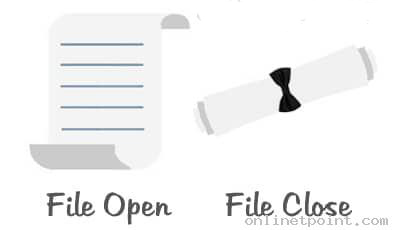
Syntax:
FILE *fopen( const char * filename, const char * mode ); //opening file

fclose( FILE *fp ); //closing file
Advantage of the file
It will contain the data even once the program exit. We use variable or array to store data, but data is lost once the program exit. They are not permanent storage. The file is the permanent storage medium.
| Mode | Description |
|---|---|
| r | opens a text file for reading purpose. |
| w | opens a text file for writing purpose. If the file does not exist then it creates the new file. It start to write from the beginning of the file. |
| a | opens a text file for append purpose. If the file does not exist then it creates the new file. It starts appending from the existing file content. |
| r+ | opens a text file for reading and writing purpose. |
| w+ | opens a text file for reading and writing purpose. |
| a+ | opens a text file for reading and writing purpose. |
Example:
#include <stdio.h>
#include <stdlib.h>

void main()
{
	FILE *fp;
	char c;
	fp=fopen("TEST.txt","r");
	while(1){
		c=fgetc(fp);
		if(feof(fp))
			break;
		printf("%c",c);
	}
	fclose(fp);
}
Quickly Find What You Are Looking For
OnlineTpoint is a website that is meant to offer basic knowledge, practice and learning materials. Though all the examples have been tested and verified, we cannot ensure the correctness or completeness of all the information on our website. All contents published on this website are subject to copyright and are owned by OnlineTpoint. By using this website, you agree that you have read and understood our Terms of Use, Cookie Policy and Privacy Policy.
Color Picker
